Articles#
Longer texts with a page of their own — guides, industry news, case studies.
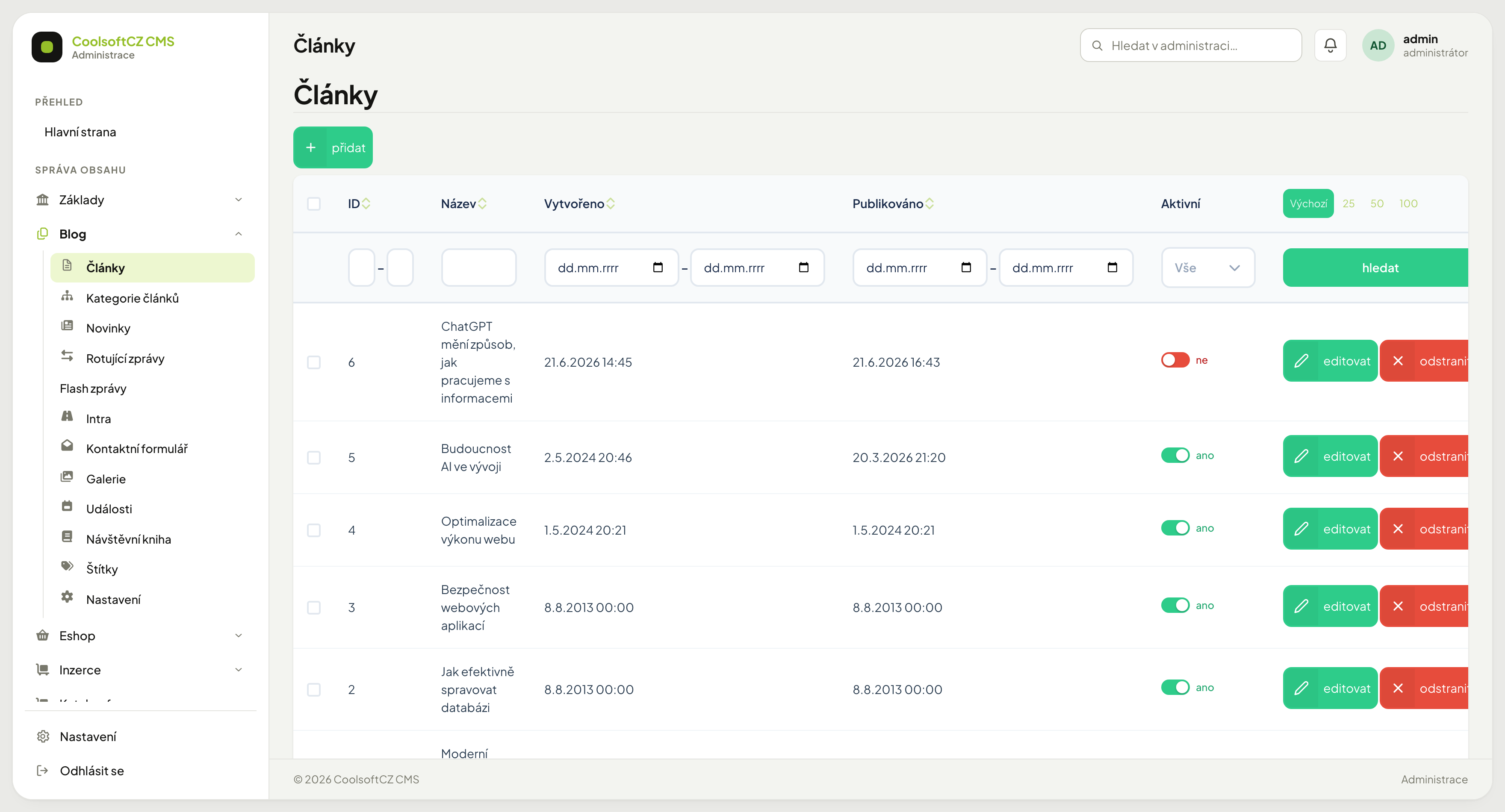
Find them under Blog → Články.
The list#
| Column | What it shows |
|---|---|
| ID | the article number |
| Název | the headline |
| Vytvořeno | when the article was created in the administration |
| Publikováno | from when it is on the site |
| Aktivní | the publication toggle |
Two dates, two different meanings#
The most important thing on this screen. Vytvořeno (created) and Publikováno (published) are two independent dates serving different purposes:
- Vytvořeno — when you created it. It never changes.
- Publikováno — the date shown on the site and the one articles are ordered by.
Scheduling for later
Set Publikováno in the future and the article appears at that moment. You do not have to be there.
An article whose Publikováno date is today is visible in the listing and in the sitemap the same day; there is no waiting for midnight. The date is compared by whole days, so it is enough for it to be today's.
A future publication date with Aktivní on means it is not on the site yet
That is not a fault. The article is waiting for its moment. To publish it now, set the date to the present.
A switched-off article, and an article whose Publikováno date is still ahead, is not reachable through its own address either: the site answers "page not found", just as for an article that does not exist. This holds even for someone who knows the address.
The publication date can equally be moved into the past — useful when migrating older content, so articles sort by their real age.
Creating an article#
- přidat above the list.
- Fill in the name.
- Write the perex — a short summary for listings.
- Write the content in the rich text editor.
- Add the main image.
- Assign categories and tags.
- Pick a Region if the article should show with a specific place (see below).
- Fill in the SEO fields.
- Set Publikováno and turn Aktivní on.
- Save.
Region#
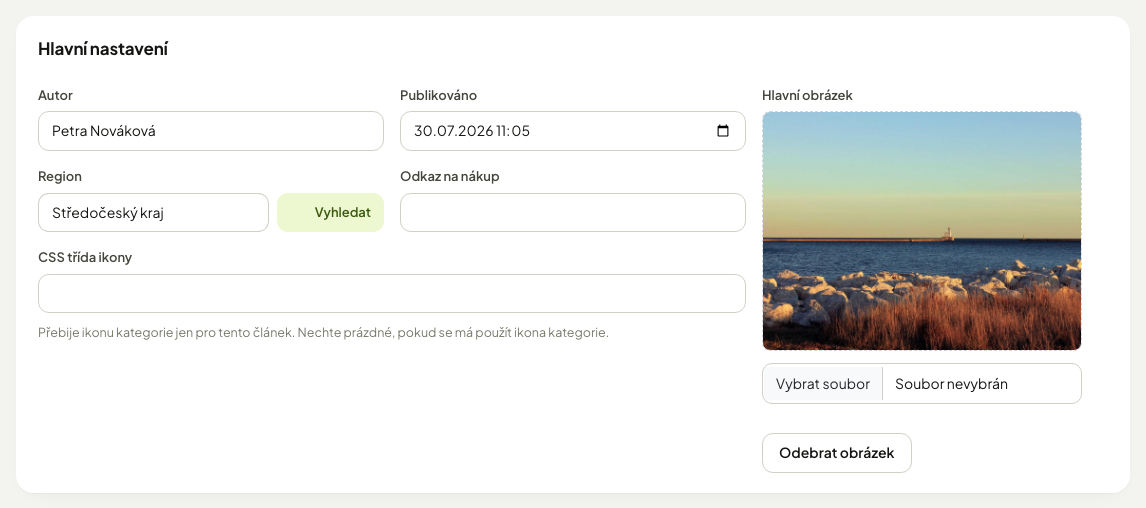
The Region field is a choice from the code list of regions. Type at least two letters of the name and pick from the offer, or click Vybrat (choose) and pick the region in the table. A region is optional, one per article.
| I want | How |
|---|---|
| put the article into a region | pick the region and save |
| remove the region | click the × in the field (clears the choice) and save |
On the site the article then shows the region name next to the category (in row and table listings and in the detail), and a visitor can filter the listing by it — see Articles and news.
With a region selected an article without a region is not shown
A visitor who picks a region in the side panel sees only articles placed in it. An article without a region is missing from them; only someone who selected no region sees it. For content that concerns the whole country leave the region empty or choose the country.
Place it as precisely as you can
The filter works top down: a visitor who picks a region also sees articles from its districts and towns. But an article placed only in the region is not found by someone who picked a specific town.
The perex#
A short text under the headline. It appears in article listings and often in search results.
Do not leave the perex empty
Without it the listing usually takes the beginning of the body text — and that tends to start mid-sentence. Two or three sentences are enough.
Multilingual content#
Text fields carry language tabs. An untranslated language means a blank on the site, not an automatic translation — see Localisation and languages.
Hiding an article#
Switch Aktivní off. The article stays in the administration with its content and disappears from the site. You can switch it back on at any time.
Hiding beats deleting almost every time
Deletion cannot be undone. It also takes with it the comments and ratings the article has collected.
Paid articles#
An article is free when it belongs to at least one category that is active and has the Zdarma (Free) switch on (see Categories). All other articles are for members — only a signed-in user with an active membership sees them whole (see Tariffs and membership).
| Who | What they see |
|---|---|
| a member with an active membership | the whole article |
| everyone else, in the listing | the article with a For members label |
| everyone else, in the detail | a preview only: title and perex, followed by a The full article is for members banner |
In the banner a visitor who is not signed in gets the Sign in and Register buttons, a signed-in user without membership gets Pay membership. The article text, galleries, rating and comments are not shown in the preview.
An article needs at least one active category
An article whose categories are all disabled (or that has none) is not listed on the site and its address answers "page not found".
Featured article#
The Hlavní článek (Featured article) switch puts the article into the lead block of the homepage; several can be flagged, the newest one is shown. In a category with the Nejprve topované (Boosted first) switch on, featured articles go first in the listing.
Galleries on an article#
The Galerie field attaches galleries to the article. The article detail shows only those that are active and already published; a Jen pro přihlášené (logged-in users only) gallery is shown only to a signed-in visitor.
Comments and ratings#
An article can carry a discussion and a star rating underneath. It is enabled on the article and moderated centrally in Comments and Ratings.
Searching#
You can filter by ID, name, a creation and publication date range, and by whether the article is active. Filters add up — see Search and filters.
Find drafts with a filter
Switch Aktivní to ne and you get a list of everything not yet out.