External sign-in#
Signing in with an account from another service — Google, Facebook and others. The visitor does not have to create a password.
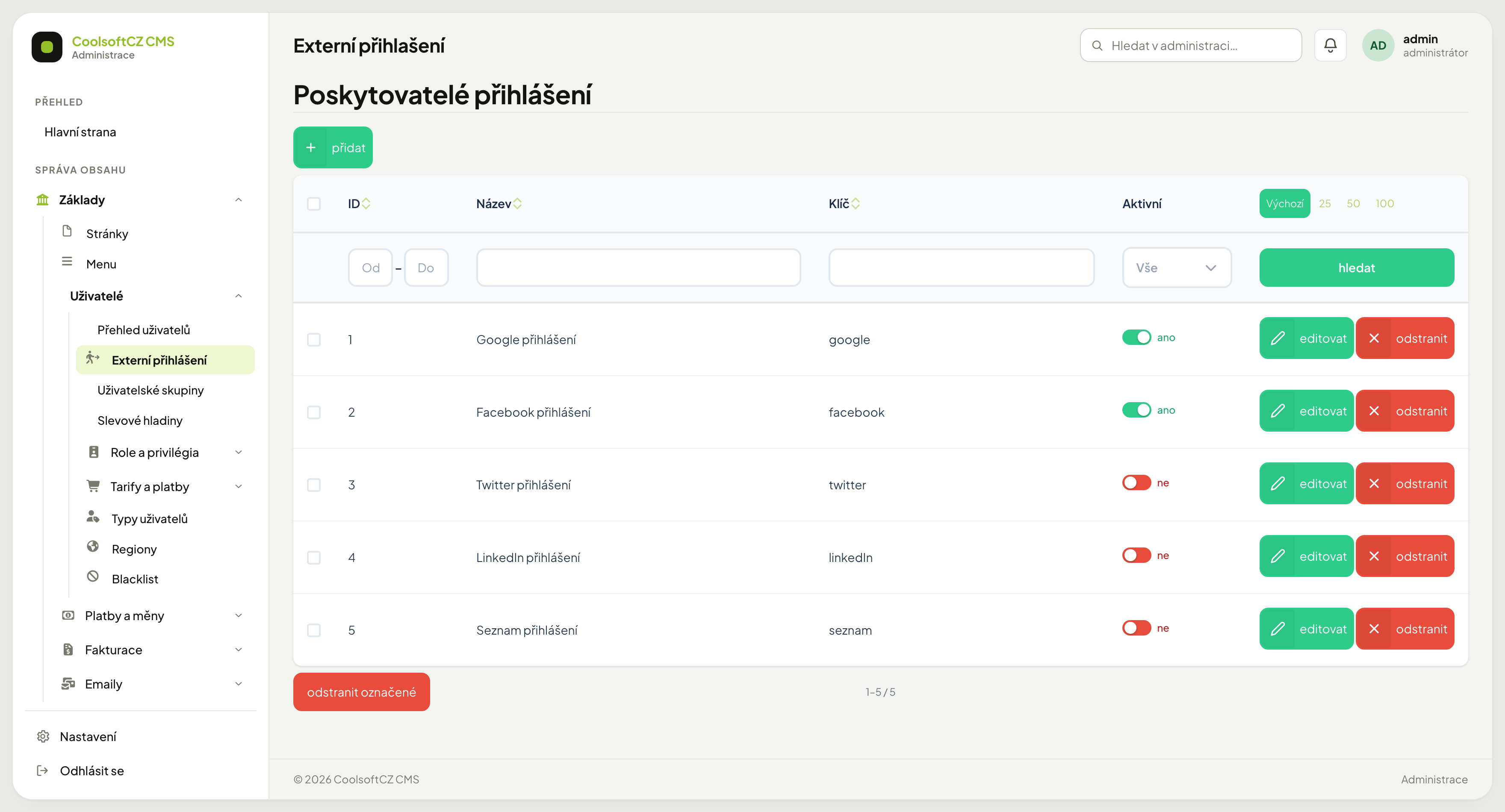
Find them under Základy → Uživatelé → Externí přihlášení.
The list#
| Column | What it shows |
|---|---|
| Název | what the button is called |
| Klíč | the technical identifier (google, facebook, …) |
| Aktivní | whether the button is offered on the site |
A disabled provider keeps its configuration, it just is not displayed. Switching it on and off is therefore a safe operation — nothing is erased.
Setting one up#
Configuration has two parts, and the first happens outside this administration:
- At the provider (Google Cloud Console, Meta for Developers…) create an application and obtain a client ID and a client secret.
- Register your site's redirect URI there — without it sign-in ends in an error.
- In the administration open the provider and fill in the client ID and secret.
- Turn Aktivní on and try signing in.
The client secret is the password to your application
Anyone who obtains it can impersonate your site. Do not send it by email or chat, do not put it in documentation, and do not take screenshots of the form where it is visible. If it leaks, revoke it at the provider and generate a new one.
The redirect URI#
The most common reason sign-in does not work. The provider only returns users to an
address it has on file — and it must match exactly, including https:// and any
trailing slash.
The test address and the live address are two different addresses
When the site runs on both cms.dev.example.cz and example.cz, both must be
registered at the provider. Otherwise sign-in works on one and fails on the other
with an invalid-redirect error.
Linking to an existing account#
If someone signs in via Google with an email already in the system, no second account is created. How the accounts are linked depends on the state of the existing account:
| Existing account | What happens |
|---|---|
| created with the same service's button, or already linked to it | signed in straight away |
| has a password and is not linked to the service | a link to confirm the linking goes to the account's email (valid 24 hours). It is linked and signed in only after the click |
| the provider did not verify the email | linking is refused; the user should sign in with the password |
| no account with this email | a new one is created; with an unverified email as inactive, with an activation email |
This is not an optional setting; the system always works this way. The email confirmation prevents someone from creating an account with a service using somebody else's email and getting into their account on the site that way. Verify the behaviour on a test account before enabling a provider for real.
You see a user's linked sign-ins in their edit form in the Externí přihlášení (OAuth) (external sign-in) section; the Rozpojit (unlink) button removes them. The user can then no longer sign in through that service until they link the account again. An account that was created only through an external service and has no password sets one through Zapomenuté heslo (forgotten password).
The username is usually machine-generated
Accounts created through an external service have usernames like
google-1025779…. That is not a fault — it is the identifier from the provider.
They sign in with the button, not with that name.
A blocked account does not get through here either
External sign-in rejects a disabled (Aktivní) or banned account just like password sign-in does — see Users. The provider button is not a back door.
When sign-in does not work#
In order:
- Is the provider Aktivní?
- Does the redirect URI at the provider match the site address, protocol included?
- Are the client ID or secret pasted with a stray space?
- Is the application at the provider still in test mode? Google and Meta let new applications in only for listed accounts at first.
- Has the client secret expired? Some have a limited lifetime.