Articles and news#
Content on the site — guides, news and information.
Where to find them#
The menu usually includes a link to articles, news or a blog. Articles are ordered from newest to oldest.
Categories and tags#
Articles are usually classified into categories and marked with tags. Click a tag to see everything related to the topic.
A tag leads to related articles faster than searching
The author has manually marked related content.
Clicking the category of an article, a news item or an event leads to a listing of the same kind: from a news item you get to the news in the same category, from an event to the events. Before, a category always led to articles.
Region#
Articles, news and events can be placed in a region. A listed item and its detail then show the region name next to the category, and clicking it shows only the items from that region (and from the regions below it).
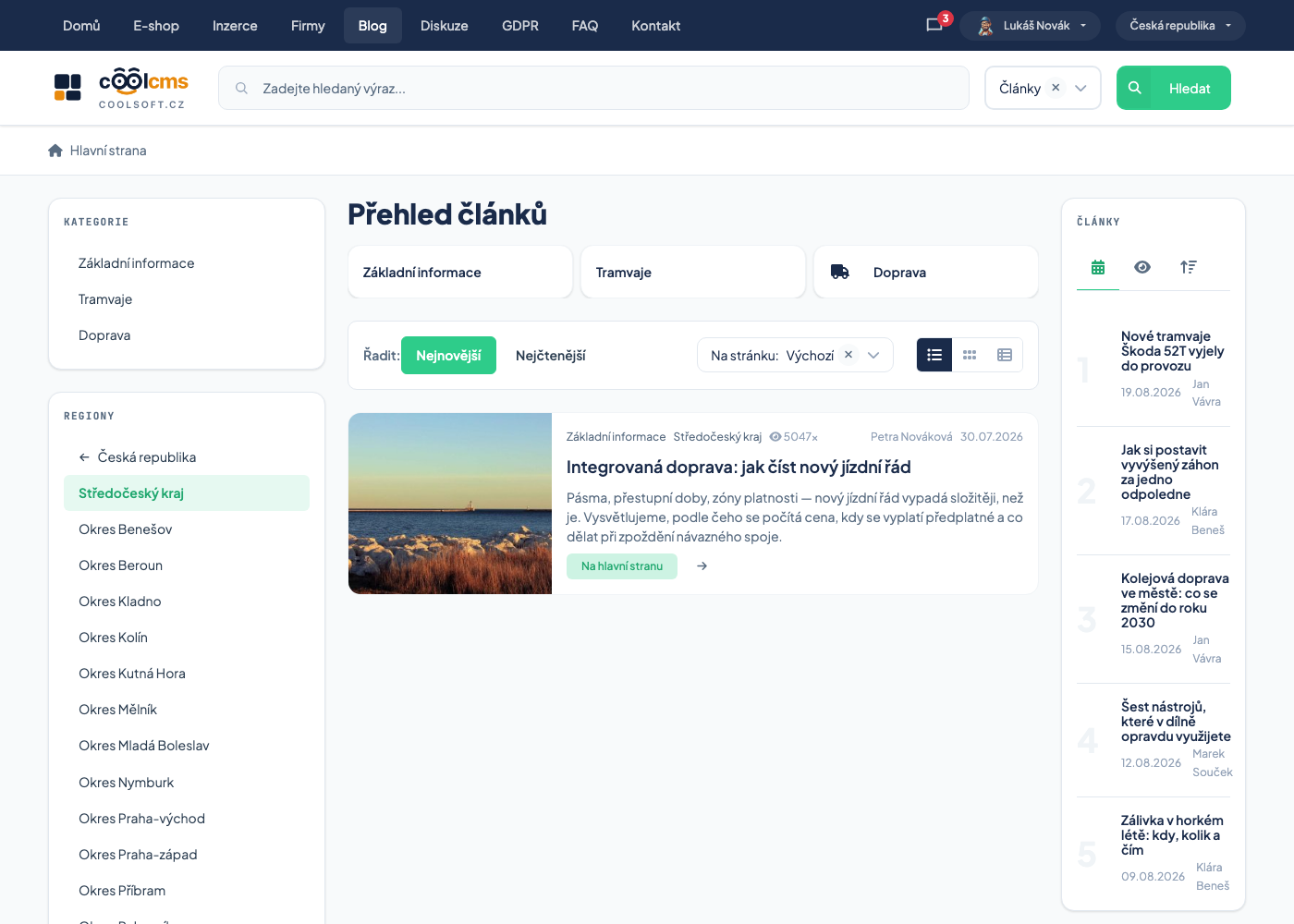
Regions are also in the side panel; they work like browsing classifieds by category and region: one level is shown, the selected category stays when you change the region, and the other way round.
Procedure: show only the articles of one region#
- Open the list of articles (or news, or events).
- In the side panel pick a country in the regions, then a region, perhaps a district.
- The listing narrows. The address has the form
…/clanky/-/<region>: the dash means "no category". You can bookmark it. - Back to all: click the arrow link above the region.
An item without a region is not shown when a region is selected
With a region selected you see only the items placed in it. An article that has no region filled in does not appear among them — you find it only when no region is selected.
Only some listing looks show the region name
The row and table listings show the region name. The card looks with badges leave it out; the region stays in them, it is just not visible, and you can filter by it from the side panel.
Articles for members#
Some articles are for members only. In the listing you recognise them by the For members label. When you open one you see the title and perex, followed by a The full article is for members banner:
| You are | In the banner you find |
|---|---|
| not signed in | Sign in and Register |
| signed in without an active membership | Pay membership |
Once you sign in with an active membership (or pay), the whole article is shown, including galleries, rating and comments.
Some galleries are for signed-in visitors only
A gallery on an article or event can be reserved for signed-in visitors. A visitor who is not signed in does not see it at all — sign in and it appears.
Searching articles#
It works like searching for goods — titles and text alike.
Try one telling word
A whole sentence usually finds nothing.
Comments#
There is usually a discussion under an article. See Comments and ratings.
Sharing#
Articles usually include buttons for sharing on social networks or a link to copy.
Share the link from the address bar
Links copied from search results often contain tracking information that does not belong there.
News versus articles#
| Article | News item | |
|---|---|---|
| Purpose | a guide, a topic | a short announcement |
| How fast it dates | slowly | quickly |
An out-of-date news item is not a fault
News is archived, not deleted. The date on it tells you whether it still applies.
Printing#
Use print preview
Sites are usually prepared for printing, and the preview saves you pages of menus and advertising.