Products and product sets#
Two closely related screens. A product is the goods as such; a product set is the specific version that is sold and has its own price and stock.
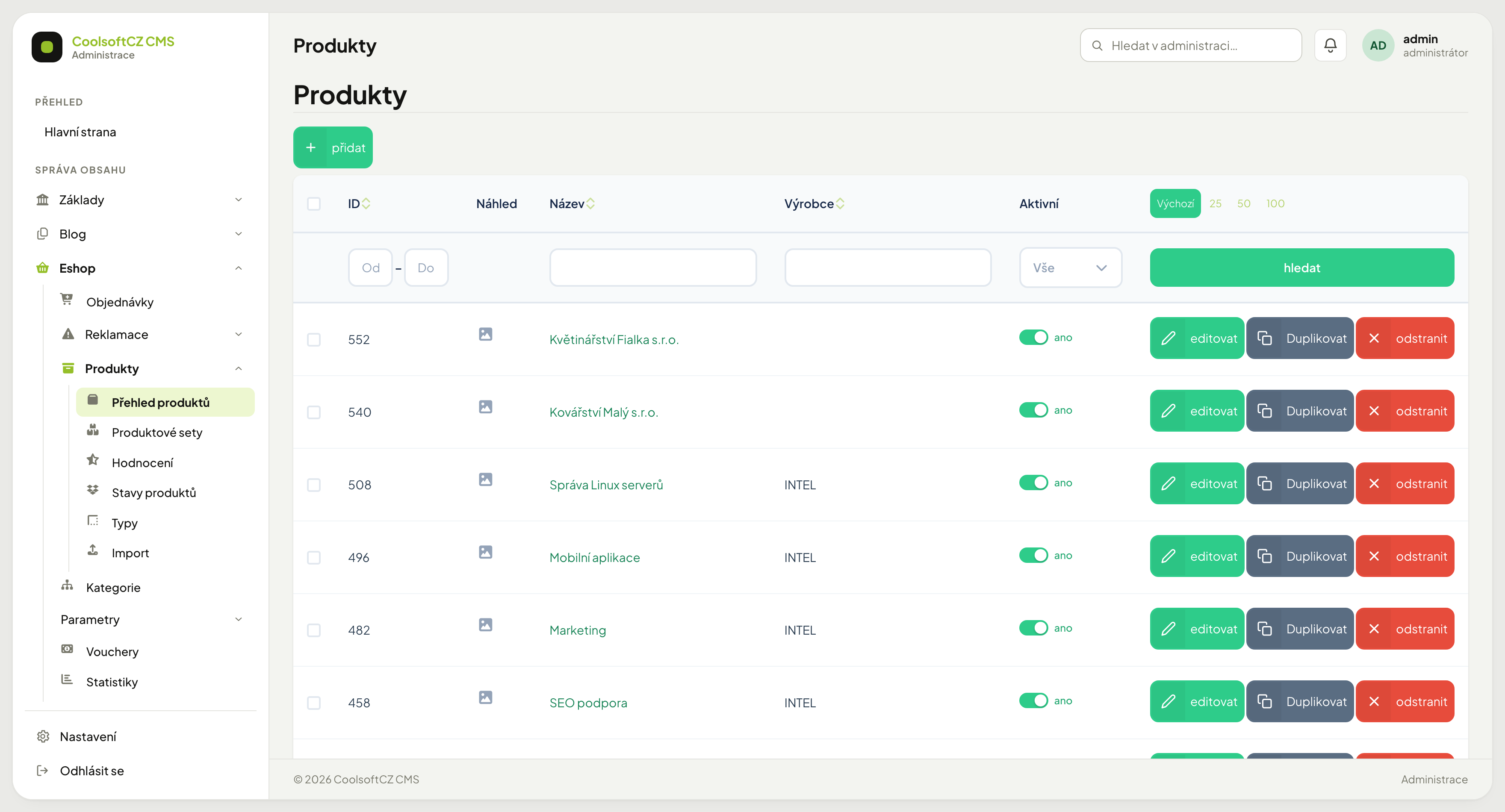
Find them under Eshop → Produkty.
Product versus product set#
| Product | Product set | |
|---|---|---|
| What it is | "Basic T-shirt" | "Basic T-shirt, M, blue" |
| Carries | description, photos, classification | code, price, stock, weight |
| How many | one | as many as there are combinations |
On the site the customer sees the product; by choosing size and colour they pick a set. That is what ends up in the cart and on the document.
Even goods without variants have a set
If you sell a single version, the product has exactly one set. That is not redundant — price and stock live on the set, not on the product.
Creating a product#
- přidat in Přehled produktů.
- Fill in the name and description.
- Upload the photos.
- Assign categories, pick a producer and tags.
- Fill in the SEO fields.
- Save and move on to the sets.
Fields on a set#
| Field | Purpose |
|---|---|
| Kód | your internal designation; must be unique |
| EAN / ISBN | barcode; needed by comparison sites and the warehouse |
| Jednotka | pcs, kg, m… |
| Hmotnost | the shipping price is calculated from it |
| Záruka | in months, usually 24 |
| Stav produktu | a code list; new and used ship as defaults, add more as needed |
| Doprava zdarma | when the set is in an order, shipping for the whole order is free |
| Platba zdarma | when the set is in an order, the payment fee for the whole order is zero |
| Zveřejnit od / do | the selling window |
Without a weight the shipping price can come out wrong
Shipping tariffs are often calculated by weight. A set with zero weight can fall into the cheapest band even for heavy goods. Fill the weight in even where it seems unnecessary.
Publication#
A set has Zveřejnit od and Zveřejnit do — the window during which it sells. Useful for seasonal goods or launching a novelty at a specific hour.
Prepare a launch in advance
Create the set, set Zveřejnit od to the launch day and leave it. It appears by itself.
Alongside that is an Aktivní toggle which works independently of time — a disabled set does not sell regardless of the window.
Price and stock#
Neither is entered here:
- Price — see Price lists and VAT. It is not one number; it depends on time, quantity, customer group and currency.
- Stock — see Stock items. Quantities live in the warehouse module.
Related goods#
A product can carry links to other goods — accessories, alternatives, spare parts. Link types are managed in the module settings and decide how they are labelled on the site ("Recommended accessories", "Similar goods").
Fees#
A set can carry a fee — recycling, copyright, a returnable deposit. Fees have their own types and are added into the order total.
Duplicating a product#
When you add goods similar to something you already have, you do not need to start from scratch.
Procedure: copying a product#
- In the Products overview, click Duplicate next to the product.
- The copy opens for editing with the message "The product has been duplicated. Finish the copy (photo, variants, activation…)."
- Adjust the name — the copy gets the suffix "(kopie)" after the original name.
- Upload the photos and add variants with price and stock.
- Once the copy is ready, switch Aktivní on and save.
The copy takes over the texts, categories, producer and product type. Variants and the main photo are not copied.
The copy starts switched off
An unfinished copy without photos and variants therefore does not reach the website. Customers will not see it until you switch it on with Aktivní.
Deleting#
You delete products and sets in the overview with the delete button on the row, or in bulk for the selected rows. What happens to the record depends on whether it already has history:
| Record | What happens |
|---|---|
| nothing refers to it | it is deleted permanently |
| it is in an order, complaint or gift | it is only hidden — it disappears from the overview, but the data stay |
Hiding exists so that old orders, complaints and gifts keep showing what the customer bought.
Procedure: deleting a product or a set#
- Open Eshop → Products (or the Product sets overview).
- Click delete on the row, or tick several rows and delete the selected ones.
- Confirm the question "Are you sure you want to delete this product?" (for a set, "Are you sure you want to delete this set?").
- Read the message:
- "The records have been deleted." means everything could be deleted permanently.
- The warning "Deleted. Some records were only hidden (not permanently deleted) because an order, complaint or gift refers to them." means some records were only hidden.
In bulk deletion every row is judged separately — one product with history does not block the deletion of the others.
A hidden record cannot be brought back in the overview
Neither a hidden product nor a hidden set shows up in the administration again. Goods you are only taking off sale and may want to bring back should therefore not be deleted — switch them off with Aktivní, or set Zveřejnit do.