News#
Short announcements — changed opening hours, a new branch, holiday information.
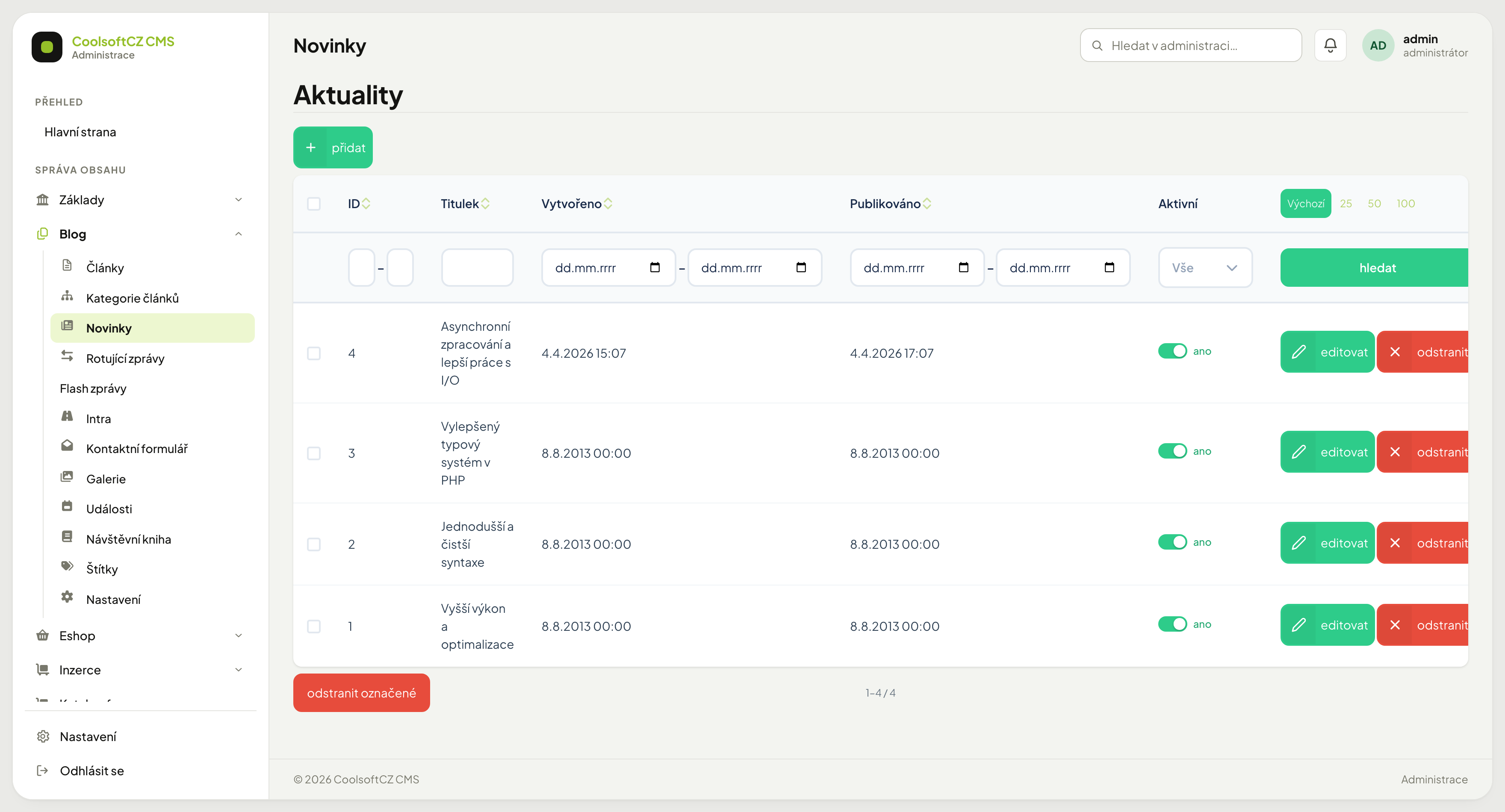
Find them under Blog → Novinky.
News item, or article?#
Both are text with a date, but they are used differently:
| News item | Article | |
|---|---|---|
| Length | a few sentences | a longer text |
| Lifespan | short, goes stale | long, still read years later |
| Where it appears | front page, sidebar | its own page, article listing |
| Categories and tags | no | yes |
In doubt? Write an article.
An article can be linked to, shared, and found by search engines. A news item fades away. If the message should last longer than a few weeks, it belongs in articles.
Creating a news item#
- přidat above the list.
- Fill in the name and the text.
- Optionally pick the Region the news item relates to.
- Set Publikováno.
- Turn Aktivní on.
- Save.
Region#
As with articles a news item can be placed in one region. The field is optional and works the same: at least two letters of the name and a pick from the offer, or Vybrat and the table; × clears the choice.

On the site the region name shows with a news item and a visitor can filter news by it. A news item without a region is not shown when a region is selected — but it is shown when no region is selected.
Leave nationwide announcements without a region, or place them in the country
Placing one in a region would hide it from everyone searching in another region.
The publication date#
Same as with articles: Publikováno is the date from which the item is on the site and the one items are ordered by. In the future it schedules; in the past it changes the order. A news item dated today is visible in the listing the same day.
A switched-off news item, or one dated in the future, is not reachable through its own address either: the site answers "page not found".
A news item does not stop being news on its own
The system does not hide old items. They stay until you switch them off by hand. A site with a stale item at the top looks abandoned — go through them from time to time.
How many are shown#
How many items the front page lists is decided by the site theme, not by this screen. The rest remain available in the overview.
Hiding#
Switch Aktivní off. This is the recommended alternative to deleting — the item stays findable and can be switched back on when the situation repeats (seasonal opening hours, for example).