Pages#
Pages are the skeleton of the site. Every address a visitor can reach has its own page — from the front page to the shopping cart.
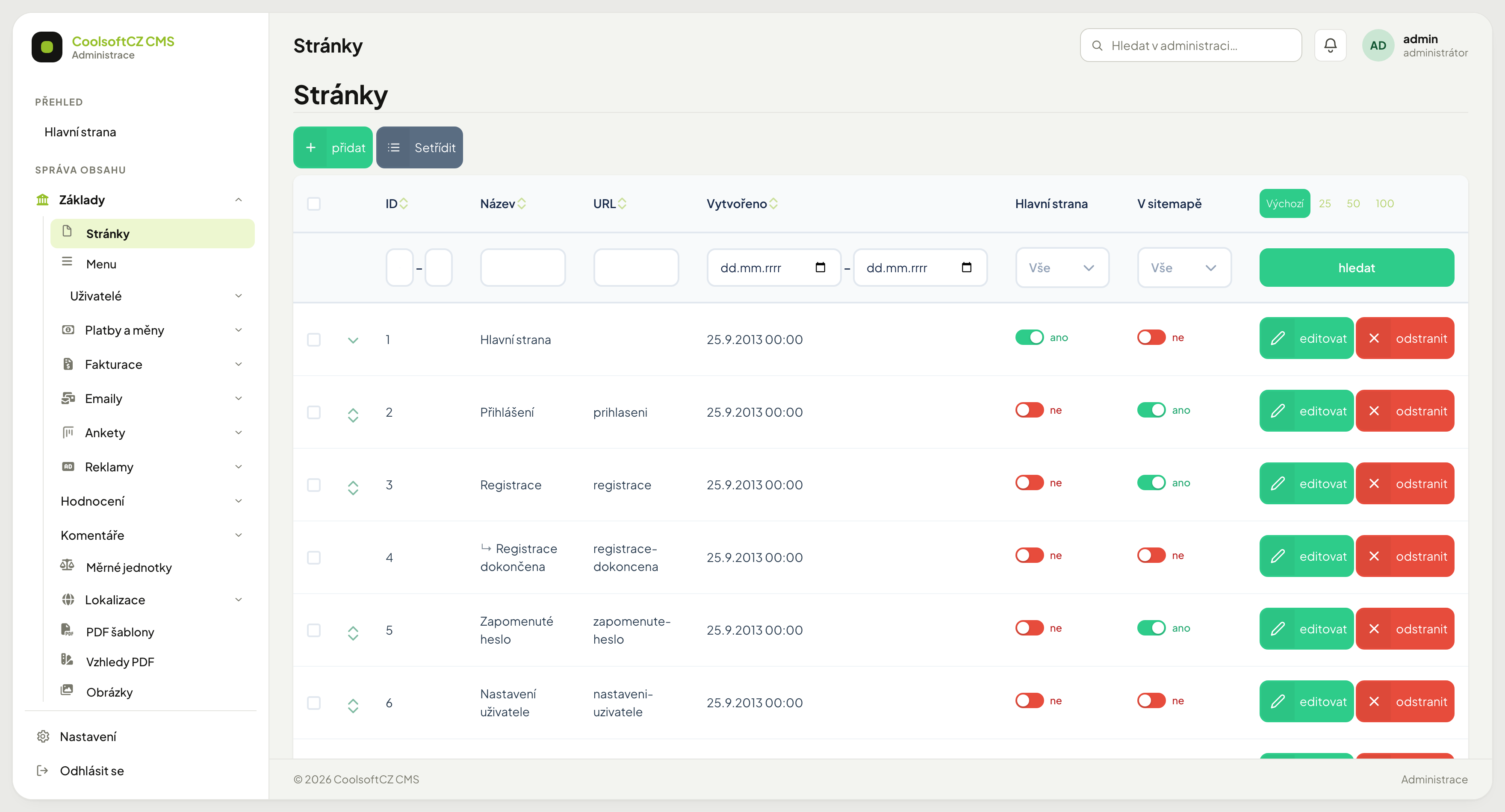
Find them under Web → Stránky → Přehled stránek.
The list#
| Column | What it shows |
|---|---|
| ID | the page number; fixed for system pages |
| Název | the page name inside the administration |
| URL | the part of the address after the domain |
| Vytvořeno | creation date |
| V sitemapě | toggle — the page is offered to search engines |
The list is a tree: an indented row with a ↳ arrow is a child page. The
Setřídit button next to přidat turns on reordering.
Creating a page#
- přidat above the list.
- Fill in the name and the URL.
- Write the content in the rich text editor.
- Add the SEO fields.
- Save.
The URL#
The part of the address after the domain. Written in lower case, without diacritics
or spaces, words separated by hyphens — forgotten-password, not
Forgotten password.
Changing a URL breaks links
Change a page's URL and links pointing at it from outside stop working — from search engines, emails, bookmarks. Think twice for a page that has been on the site for a long time.
Search engine indexing#
The Indexace vyhledávači (search engine indexing) field in the page form sets what a
search engine may do with the page (the value of the robots tag):
| Option | Meaning |
|---|---|
| Indexovat, sledovat odkazy (index, follow links; default) | the page shows up in search and the engine follows its links |
| Neindexovat, sledovat odkazy (do not index, follow links) | the page does not show up in search, links are followed |
| Indexovat, nesledovat odkazy (index, do not follow links) | the page shows up, the engine does not follow its links |
| Neindexovat, nesledovat odkazy (do not index, do not follow links) | the engine ignores the page completely |
A page that is not indexed also drops out of the site map (sitemap). The setting also applies to the module content shown on the page, for example the article list and article details under a blog page.
The search engine takes the change into account at its next visit
A page already in the search engine does not vanish right after saving, only when the engine visits it again. Not indexing also does not protect the content from being read: whoever knows the address can open the page.
System pages#
Some pages are system pages — sign-in, registration, cart, order. The system links to them from code, so they have fixed IDs and must not be deleted.
Their content and name can be changed; their address better not.
Deleting a system page breaks a site function
Delete the Objednávka (order) page and ordering stops working. To switch a page off temporarily, hide it — do not delete it.
Multilingual content#
If the site has several languages, text fields carry language tabs. Each language is filled in separately — including the URL.
An untranslated page is not a blank space but a 404 for the whole branch beneath it
The address /en/eshop/laptops is composed of two layers: the first segment comes from
a page, the further segments from categories. Without a URL filled in for that
language the system does not know "eshop" exists in it — and the whole path fails,
even if every category beneath it is translated.
After adding a language, do the pages first
There are far fewer of them than categories and they unblock everything else. Only then does translating content make sense — see Localisation and languages.
URLs differ between languages in meaning too
The English version of the Classifieds page should be adverts, not a transliterated
inzeraty. It is not a translation of a word, it is an address — it should be what a
visitor in that language would expect.
If you do not intend to use a language, switch it off
An enabled language with no pages filled in is worse than none. See Localisation and languages.
The front page#
The site's root address always shows the system home page — it has ID 1 in the list. No other page can be made the front page, so the page form has no "Hlavní strana" (front page) toggle.
The text you write in this page's text editor is shown on the front page in every template — usually below the content the template assembles (banners, lists, sections). Leave the text empty and nothing is shown, not even an empty box.
Sitemap#
The V sitemapě toggle says whether the page is offered to search engines. Turn it off for pages that make no sense in search results — order confirmations, thank-you pages.
Being absent from the sitemap does not mean the page is hidden — it is still reachable at its address.
Reordering#
The Setřídit button turns on a mode where rows are dragged with the mouse. The order carries over to places where pages are listed as a tree.
Dragging changes parentage too
Drop a row under another page and it becomes its child — and its whole branch moves with it.
Deleting#
Via odstranit on the row. Deletion cannot be undone.
Menu items pointing at the deleted page (or at any of its subpages) are deleted along with it — including the menu items nested under them, wherever they lead.
Look at the menu before deleting
If the deleted page's item in Menu has other items under it that you want to keep, drag them elsewhere first. Links to the page typed by hand into the text of articles and other pages are not removed — after deletion they send visitors to an error page.