Blacklist#
A list of values the system refuses. It exists for repeat spammers and for people who create a new account after theirs is blocked.
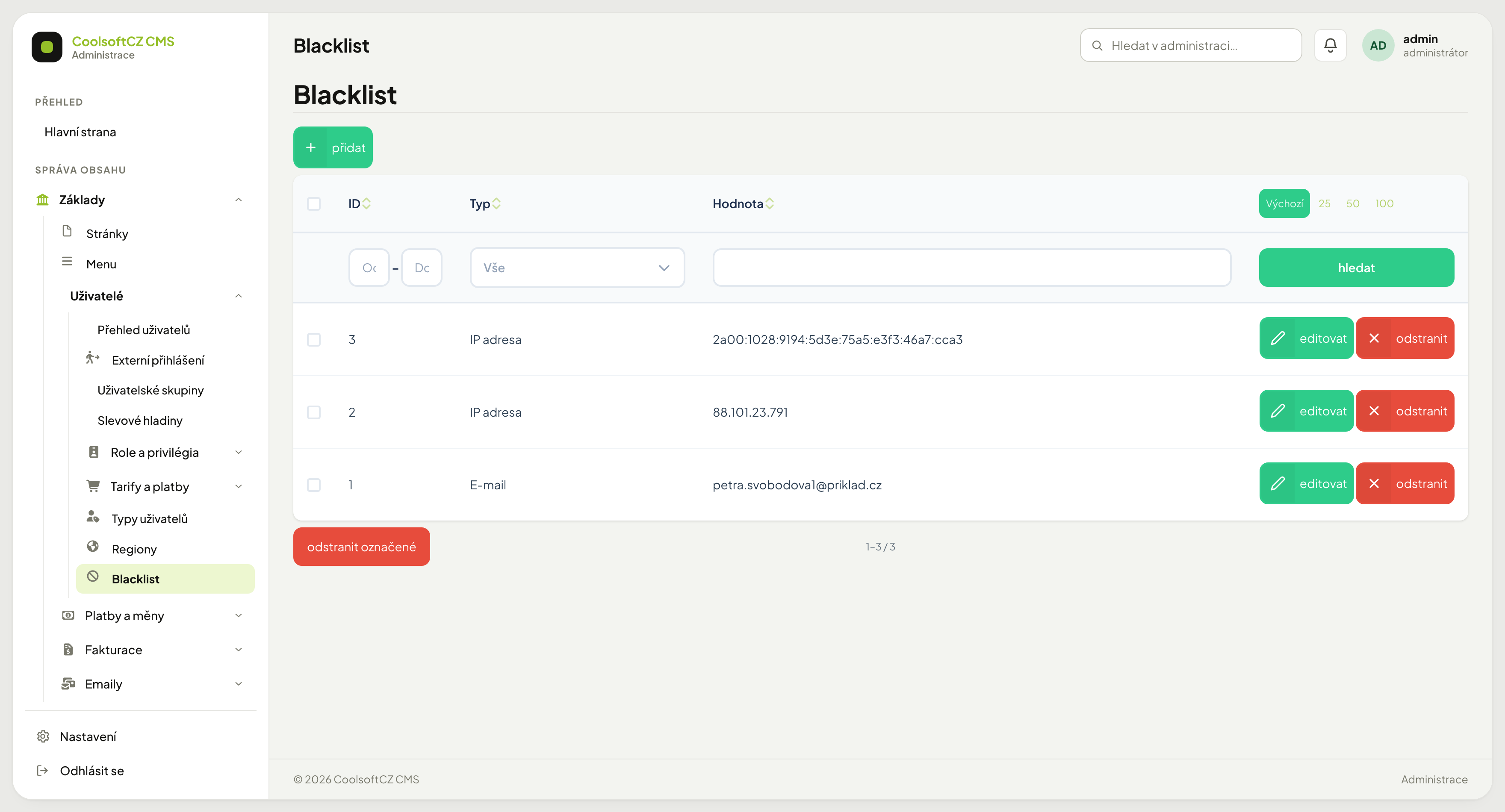
Find it under Základy → Uživatelé → Blacklist.
What can be blocked#
| Type | Blocks |
|---|---|
| one address; letter case does not matter | |
| Phone | one number; only the digits are compared and the 00 prefix equals + (00420 777 123 456 = +420777123456) |
| IP address | one address (88.101.23.7) or a whole range in CIDR notation (192.168.1.0/24, 2001:db8::/32) — IPv4 and IPv6 |
The list has three columns: ID, Typ (type) and Hodnota (value).
Where the blacklist applies#
The blacklist is checked wherever a visitor sends something to the website — not only at registration. A blocked email, phone or IP address is refused for:
- registering a new account,
- comments (including guestbook entries),
- newsletter subscription,
- posting an advert and a company profile,
- replies to adverts and enquiries to companies,
- watchdogs,
- the contact form,
- discussion posts,
- e-shop complaints and orders,
- reservations.
Whatever the form contains is checked: the email, the phone and the IP address the visitor sent the form from.
Changing profile details: a user cannot change their phone (or email) to a value that is on the blacklist. Only a changed value is checked — someone whose account already holds a value you blocked later can still save the rest of their profile.
Instead of saving, the visitor sees "Sending is not allowed: the e-mail, phone or IP address is blocked." At registration the error appears right at the email or phone field; for an IP address the message is "Registration from your IP address is not allowed."
The blacklist does not restrict administrators
What you enter in the administration (an order, an advert, an account…) is not checked against the blacklist. Nor are automatic background tasks.
Adding an entry#
- přidat above the list.
- Choose the type — IP address, email or phone.
- Fill in the value. For an IP address the form accepts only a valid address or range, for an email only a valid email.
- Save.
It takes effect immediately.
Blocking an IP address#
An IP address points at a connection, not a person
Most households and companies share one public IP across all their devices, and providers hand them out temporarily. Blocking an IP can therefore cut off people who have nothing to do with the problem, and miss the one you meant to block — they need only reconnect.
Use IP blocks briefly against an attack in progress. For an individual, use the email or block the account.
The system accepts IPv4 (88.101.23.7) and IPv6 (2a00:1028:9194:5d3e:…), a single
address or a range in CIDR notation — 192.168.1.0/24 blocks 192.168.1.0 to
192.168.1.255. One visitor may have both — blocking one version lets them in
through the other.
Blocking an email#
More reliable than an IP, but sidestepped by creating a new address. It makes sense against a specific recurring sender, not as blanket protection.
A domain is blocked one address at a time
The blacklist compares the whole value, not a part of it. To cut off an entire domain you must add every address separately. Against bulk spam, form protection is more effective than the blacklist.
Unblocking#
Use odstranit on the row. The entry disappears and the value works again.
In bulk: tick the rows and use odstranit označené below the table.
When blocking has no effect#
In order:
- Does the value match exactly? The whole string is compared, but letter case
does not matter —
Novak@firma.czandnovak@firma.czare the same value to the database. An extra space or a typo does make them differ, though. - Did they change address? Registering with a new email bypasses the blacklist.
- Do they have a different IP? Mobile connections change address several times a day.
- Is it an administrator? Records entered in the administration are not checked.
- Is it an existing account? The blacklist neither blocks nor signs out an account — it only stops forms from being sent. Block the account in its card.
What the blacklist does not solve#
It is not protection against bots or bulk spam — form protection handles that. The blacklist is a tool for a specific recurring case you know about.