Flash messages#
Short announcements shown as a card in a carousel on whatever page you place them on — operational notices, a closure warning, a message about a sale.
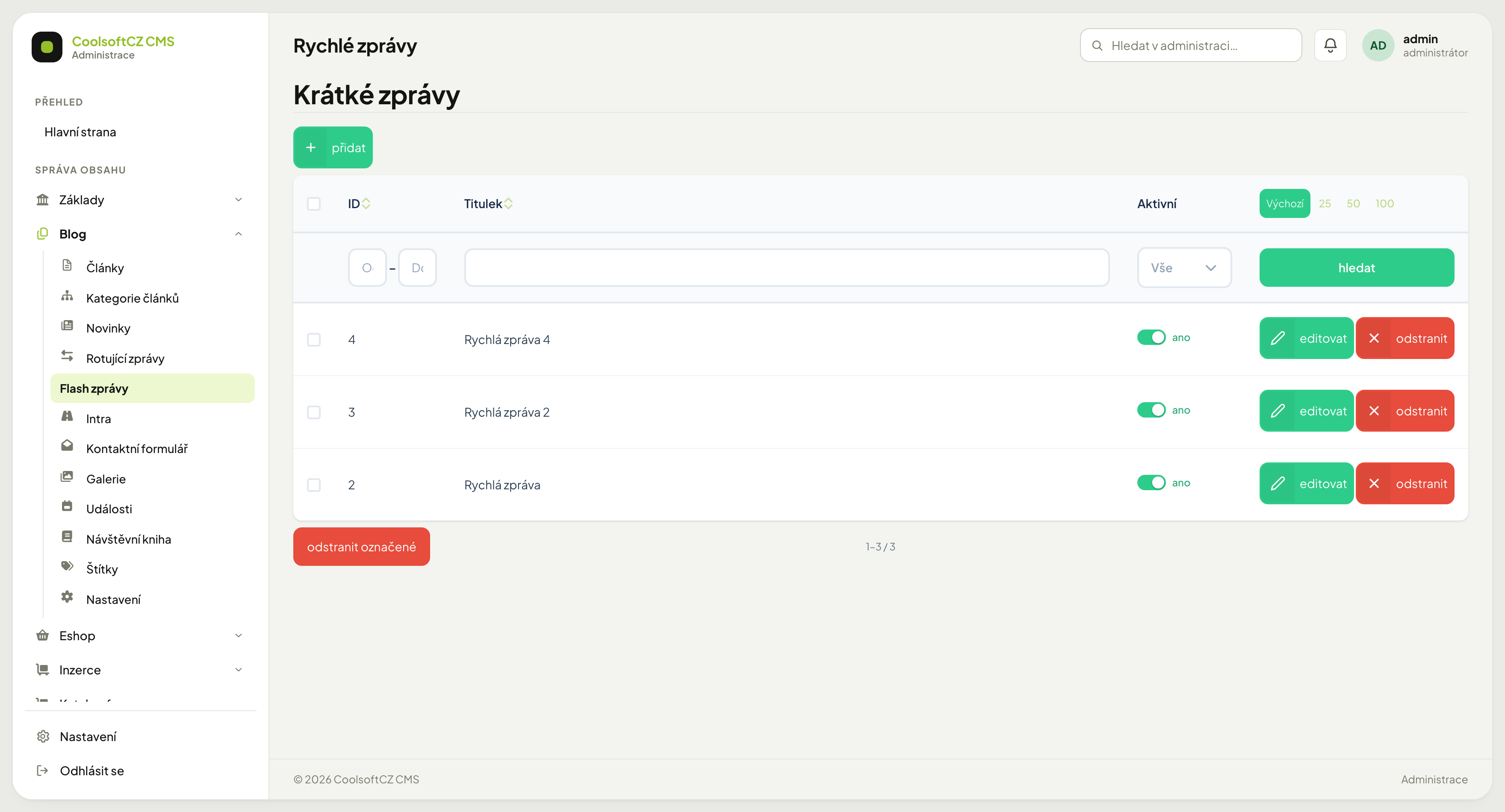
Find them under Blog → Flash zprávy.
What they are for#
Unlike a news item, a flash message can additionally disappear on its own — its display can be limited to a time window. Use it for something with a clear expiry: an unscheduled closure, an outage, a sale about to end.
The more often you use it, the less it works
A card that is always visible becomes part of the background and people stop noticing it. Keep as few enabled as possible — ideally one, often none.
Message settings#
| Field | Purpose |
|---|---|
| Titulek | a short heading for the message |
| Text | what the visitor sees |
| Dlouhý text | an optional extended version for a longer message |
| Obrázek | an optional illustration |
| Publikoval | the author of the record, picked from users |
| Zobrazit od | from when the message appears |
| Zobrazit do | when it disappears on its own |
| Aktivní | the master switch |
The time limits are the point#
The most useful property of a flash message: it can disappear by itself.
- přidat above the list.
- Fill in the title and write the text (optionally also the long text).
- Set Zobrazit od — when it should appear.
- Set Zobrazit do — when it should end.
- Turn Aktivní on and save.
Always fill in when the display should end
Without it the message stays on the site until somebody remembers to switch it off. "Closed 23–27 December" still hanging there in March is a classic that customers notice before you do.
So set the Christmas break message back in November: show from 1 December, show until 27 December. After that you need not think about it again.
Empty dates#
| From | Until | Behaviour |
|---|---|---|
| filled | filled | appears in the window and disappears on its own |
| empty | filled | appears immediately, disappears on the date |
| filled | empty | appears on the date and stays |
| empty | empty | appears immediately and stays |
When the message does not appear#
In order:
- Is Aktivní on?
- Does Zobrazit od start in the future?
- Has Zobrazit do already passed?
When it will not go away#
Most often Zobrazit do is missing. Fill it in, or switch Aktivní off.