Menu#
The menu is how visitors move around the site. Sites with a single menu are rare — usually there are several: main navigation, footer, top bar.
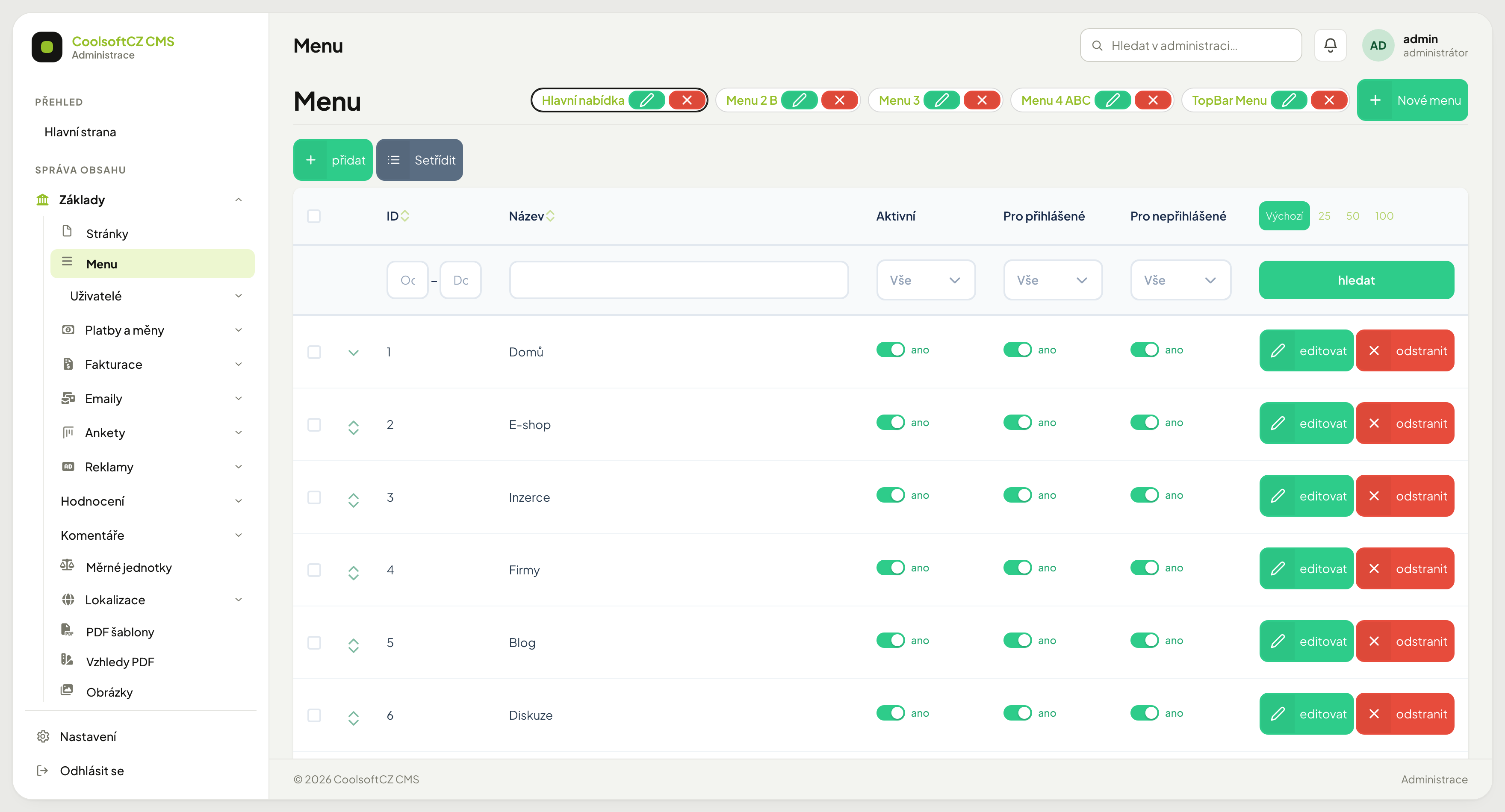
Find it under Základy → Menu.
Switching between menus#
At the top sit all the site's menus as chips — Hlavní nabídka (main menu), TopBar Menu and others. Clicking one switches which menu you are editing; the selected one is outlined.
Each chip carries two buttons:
| Button | What it does |
|---|---|
| pencil | rename the menu |
| cross | delete the whole menu and all its items |
| + Nové menu | create another menu |
The cross on a chip deletes the entire menu
It does not delete the selected item — it deletes the menu with everything in it. Items are deleted with the odstranit button on their own row.
Menu items#
The table below the chips lists the items of the selected menu:
| Column | Meaning |
|---|---|
| Název | the text the visitor sees |
| Aktivní | a disabled item does not appear on the site |
| Pro přihlášené | show to signed-in visitors |
| Pro nepřihlášené | show to signed-out visitors |
Visibility by sign-in state#
The Pro přihlášené / Pro nepřihlášené pair is the menu's most useful feature:
| Signed in | Signed out | Result |
|---|---|---|
| yes | yes | everyone sees it |
| yes | no | only after signing in — My account, My orders |
| no | yes | only for signed-out visitors — Registration, Sign in |
| no | no | nobody sees it |
Both off = the item disappears
It looks like a system fault but it is a setting. When an item is missing from the site and Aktivní is on, check this pair.
Adding an item#
- Select the target menu at the top.
- přidat.
- Fill in the name.
- Choose the target — a page or a custom address.
- Set visibility by sign-in state.
- Save.
Item target#
| Target | When |
|---|---|
| Page | a link to a page from Pages — pick it from the autocomplete, there is no separate "module landing page" target; for a link into the e-shop, classifieds, or blog, pick their landing page instead |
| Custom address | a link off the site, or to a special URL |
| No page and no address | the item is not clickable — just text; with children, a click only opens the drop-down |
Pick a page, do not type its address
A picked target follows the page even if its address changes. A hand-typed address stops working once the page is renamed.
Levels and order#
The menu is a tree — an item can have children, which appear on the site as a drop-down. A row with children has an arrow on the left.
Order and nesting are changed with the Setřídit button and by dragging rows.
How many levels are rendered is up to the theme
The system holds a tree of any depth, but the site theme usually renders only two levels. A third level then looks right in the administration but is invisible on the site.
Hide instead of delete#
Do not delete a seasonal item (Christmas offer) — switch Aktivní off. Next year you switch it back on with its settings intact.
Its sub-items disappear with it
An item that is not shown on the site — switched off, hidden by the sign-in settings or without a name (see below) — also hides all its sub-items, even if they are switched on.
When an item is missing from the site#
In order:
- Is Aktivní on?
- Is at least one of Pro přihlášené / Pro nepřihlášené on?
- Are you editing the right menu? Check which chip is selected at the top.
- Does the site actually render the menu you added the item to?
- Is the item on a third level the theme does not render?
- Does the item have a Název in the language you are viewing the site in? An item without a name in the language of the current page is not rendered — fill it in in the item's translation.
- Is a parent item hidden? With a switched-off or hidden parent all its sub-items disappear too.