Order statuses#
A status is not just a label. Changing it triggers actions — it issues an invoice, deducts stock, sends an email, awards points. That makes this the most important chapter in the whole e-shop.
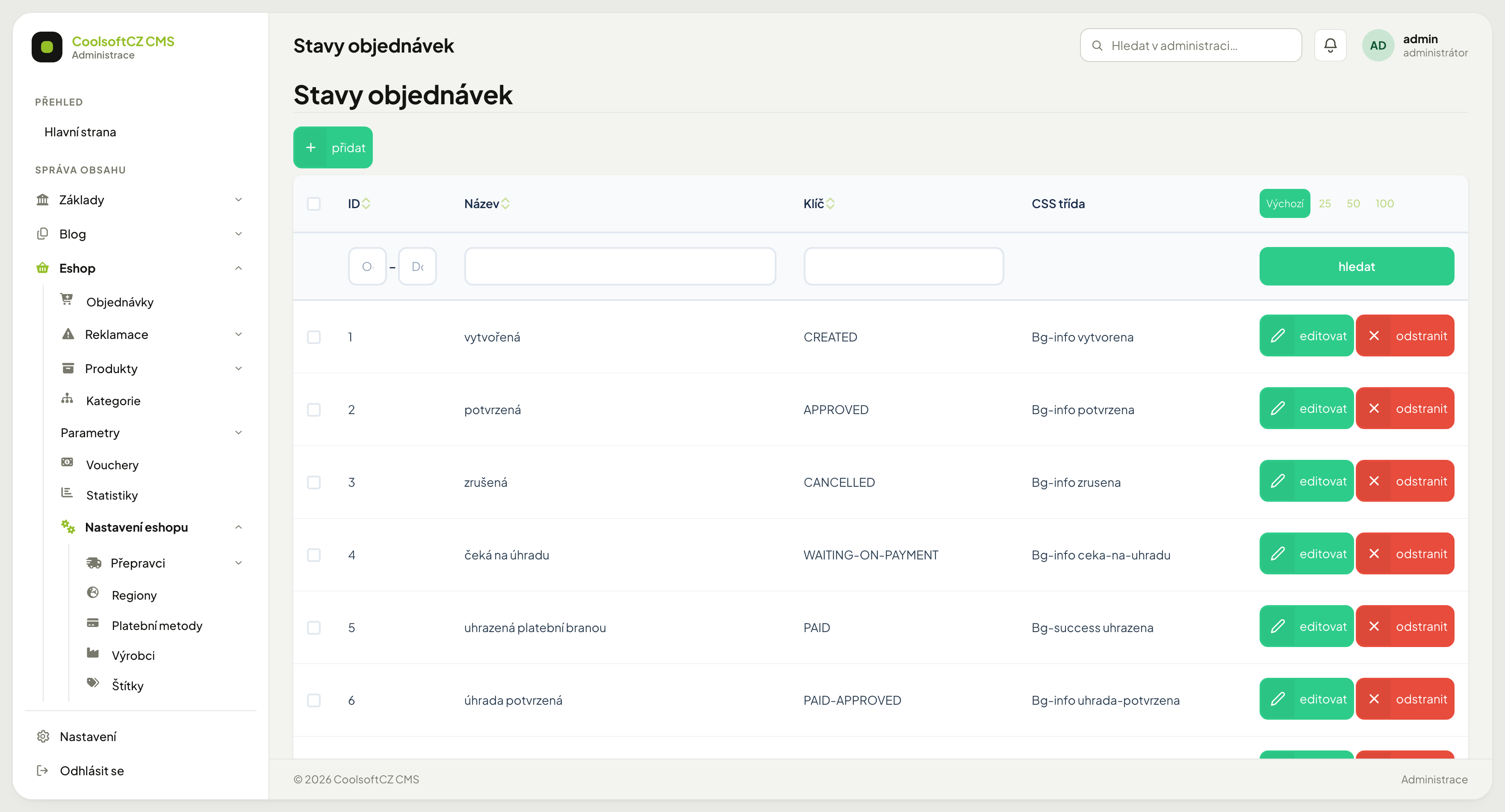
Find them under Eshop → Nastavení eshopu → Stavy objednávek.
🔴 What happens when a status changes#
Every status carries a set of toggles. When you switch an order into it, the system performs everything the status has enabled:
| Toggle | What it does |
|---|---|
| Issue a document | creates an invoice of the chosen type |
| Pair the payment | marks the payment as received |
| Fill expedition | records the dispatch date |
| Confirm stock | deducts the goods from stock |
| Generate a voucher | creates a discount voucher |
| Send email | sends the customer a message for this status |
| Send default email | sends a second, generic message — a separate switch |
| Award points | adds loyalty points |
| Cancel the order | cancels it |
| Allow cancelling | the customer may still cancel it themselves |
| Reinstate the order | the status through which a cancelled order is restored |
There are TWO email switches and the default one is on
Turn "Send email" off and the customer may still receive the default message — driven by the second switch, which is on for a new status. That is exactly how customers get a confirmation for statuses that have no message of their own. If you want silence, turn both off.
The actions run immediately and most cannot be undone
An issued invoice takes a number from the series and does not vanish when you switch the status back. Deducted stock does not return. A sent email cannot be recalled. Switch statuses deliberately, not to try them out — create an order you do not mind ruining for testing.
Default statuses#
| Status | What it triggers |
|---|---|
| created | document, email; the customer may cancel |
| approved | document, email; the customer may cancel |
| awaiting payment | advance document, email; cancelling no longer allowed |
| paid via gateway | pairs the payment |
| payment confirmed | document, pairs the payment, email |
| sent | deducts stock, fills expedition, email |
| done | generates a voucher, awards points |
| returned | issues a credit note |
| cancelled | cancels the order |
| expired | cancels the order, email |
| complaint (received / in progress / approved / rejected) | email only, changes display |
The system cancels an order awaiting payment itself
An order awaiting payment cannot be cancelled by hand. When the customer does not pay, the daily task turns it into expired after the configured period (30 days by default, module settings). An order that has already received money is not cancelled.
Stock is deducted only at “sent”
Until then the goods are merely reserved, not written off. Cancel the order earlier and the reservation is released. After switching to sent it is a real stock movement — see Reservations.
When stock is deducted, a yellow notice may appear after the status change. The status changes; the notice only says what to check. It always names the stock item by its code and name, e.g. "ABC-01 — M6 screw".
| Notice | What to check |
|---|---|
| the item was issued without a selling price | the issue note has costs but no revenue; the margin report leaves it out of revenue |
| the selling price is not a non-negative number | the price was dropped; a price of 0 is fine and raises no notice |
| issued without batch coverage | the physical stock dropped below the reservation (for example through a stocktake); the item's stock is negative, check the warehouse and do a stocktake if needed |
Creating your own status#
- přidat above the list.
- Fill in the name (in every language) and the key — a technical identifier without diacritics.
- Pick a colour so it stands out in the list.
- Enable only the actions the status is genuinely meant to perform.
- Save.
Create a new status with its actions off
First confirm it appears where it should, then switch the actions on one at a time. A status with "Confirm stock" enabled can write off goods on its very first use that you never meant to write off.
Order of statuses#
The order in the list decides how they are offered. The system does not enforce a sequence — nothing stops you jumping from created straight to done.
Skipping a status skips its actions too
Jumping from approved to done means "Confirm stock" from the sent status never ran — the goods stay in stock even though they are with the customer.
One sequence IS enforced#
A cancelled order can only move into a status that reinstates it
The system refuses every other transition with a not-allowed error. So at least one status must have Reinstate the order switched on — otherwise cancellation is a dead end and the order can never be moved anywhere again.
And cancelling only works from a status that permits it
Cancellation goes through only from a status with Allow cancelling. If the button is missing, it is not a permissions problem but the status's configuration.
Document types#
Statuses issue different document types: a regular invoice, an advance invoice, a credit note. Which one is used is chosen on the status. Types are managed in Invoice types.
Before you delete a status#
Deleting a status orders are using
Orders point at it. After deletion their status will not display correctly. First find out whether anything uses it — filter by status in Orders.