Variants and parameters#
A parameter is a property of the goods — size, colour, power output. It serves two purposes at once: customers filter by them, and some of them decide which variant is being bought.
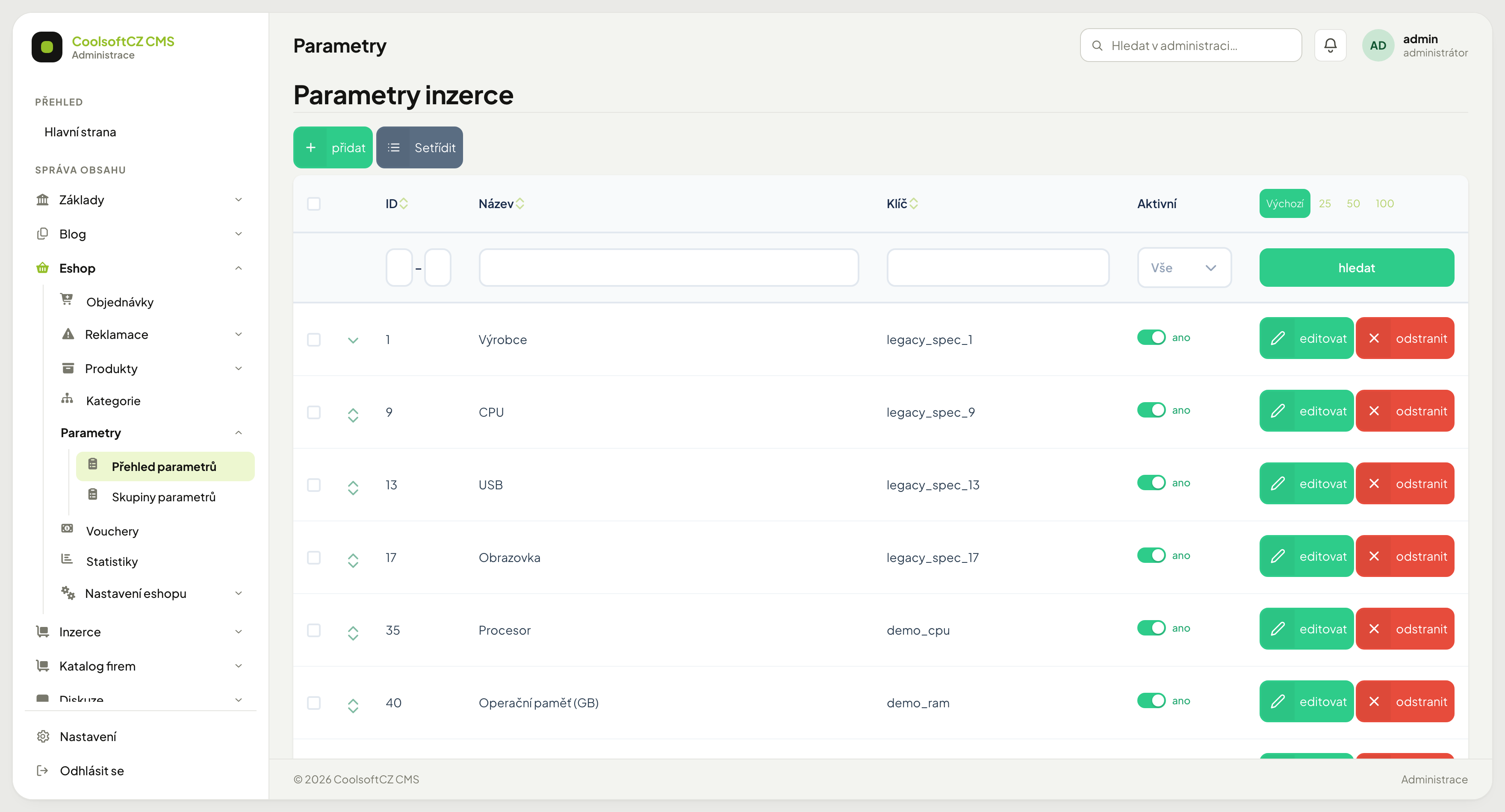
Find them under Eshop → Parametry.
A parameter with options, or with a value#
| Type | Example | When |
|---|---|---|
| With options | Colour: blue / red / black | there is a finite set of repeating values |
| With a value | Weight: 3.2 kg | each item has its own number or text |
Sensible filtering works only with options
Options give the customer a list of checkboxes. Free text does not — the filter either is not offered or is unusable. Whatever belongs in the filter should use options.
Parameter groups#
Parameters are bundled into groups (Dimensions, Technical data) which decide how they are ordered on the product page and in the filter. Without groups the filter is one long unreadable column.
Parameter settings#
| Setting | What it does |
|---|---|
| Active | a disabled parameter is not shown on the site, see below |
| Required | the goods cannot be saved without it — the product form requires it for the parameters on the set |
| Always visible | shown even when empty |
| Number of options shown | how many options the filter shows before expanding |
| Match all values | see below |
Some parameter fields are not offered in the e-shop
Always regenerate concerns only map coordinates, which goods do not have. The forbidden-word settings (Replace forbidden words, Error on forbidden word) are missing because parameter values of goods are entered only by the administrator, whom forbidden words never restrict.
A disabled parameter and a disabled option#
| What you turn off | What happens |
|---|---|
| a parameter (the toggle in the edit header) | its values are not shown on the site — in the product detail, listings or e-mails. The values stay saved and come back once you turn it on. |
| an option (the Active toggle on the option) | the option is no longer offered in the product form or in the filter on the site. Goods that already have it selected keep it. |
Number of options shown#
A parameter with twelve options turns the filter into an unreadable wall. This number says how many appear straight away; the rest hide behind "Show all".
Six tends to be a good compromise
A ticked option is always displayed even if it would be among the hidden ones, so the customer never loses sight of what they selected.
Match all values#
Decides how the filter behaves when a customer ticks several options:
- off — any of them will do (blue or red). This is what most shops want.
- on — all must hold at once (blue and red).
Never turn it on for a single-value parameter
Goods have one colour. Nothing satisfies "blue and red at the same time" and the filter will always come back empty. It only makes sense where goods can hold several values at once — Properties: waterproof, breathable, for instance.
Variants#
A variant is another product set under the same product, with its own parameter values. From "T-shirt" comes the set "T-shirt, M, blue" — with its own code, price and stock.
Adding a variant#
- Open the product.
- Go to the product sets.
- přidat and fill in the parameter values that define the variant — size and colour, for instance.
- Fill in the code, weight and other set fields.
- Save, then set the price and stock.
Every variant needs its own price and stock
A newly created set has no price and zero stock — and such goods cannot be bought. After adding a variant, always go through both.
Deleting a variant#
You delete a variant in the product detail on the Variants tab with the bin button on its row. As with products and sets, history decides: a variant nothing refers to is deleted permanently; a variant that is in an order, complaint or gift is only hidden.
Procedure: deleting a variant#
- Open the product and go to the Variants tab.
- Click the bin button next to the variant and confirm the question.
- Read the message:
- "The variant has been deleted." — the variant is gone permanently.
- "The variant cannot be deleted permanently — an order, complaint or gift refers to it. It was only hidden." — the variant disappeared from the list, but the data stay because of the history.
The confirmation question talks only about hiding
For now, the question before deletion says the data will be preserved. That holds only for a variant with history — what actually happened is told by the message after deletion.
Translating options#
Parameter options are translated like any other content. An untranslated option appears in the foreign-language version with no name — an empty checkbox in the filter.
An empty translation is worse than a missing one
Empty text prevents the fallback language from stepping in, so the option stays nameless. After adding a language, go through the parameters and fill the options in.
Optional parameter texts#
For each language a parameter can also carry optional texts — Form label, Placeholder, Search label, Placeholder (search), Help text and the messages. A field you leave empty is saved as not filled in, and the website uses a substitute instead:
| Not filled in | The website uses |
|---|---|
| Search label | Form label, and if that is missing too, Name |
| Form label | Name |
| Placeholder (search) | Placeholder |
So fill in the optional texts only where the website should say something other than the default text.
Order#
Parameters and their options have an order that carries over to the filter and the product page. It is changed by dragging.
Order options meaningfully, not alphabetically
Sizes belong as S, M, L, XL — not L, M, S, XL. Alphabetical order on sizes confuses customers.