Private messages#
A conversation with the other side right on the site — typically with a person who responded to your advert, or with the owner of an advert you responded to. You do not need to hand over email addresses.
Messages are for signed-in users only. Some site themes have a messages icon in the header (it is not shown at all to someone who is signed out); in the others you reach the Zprávy (messages) page from a menu link or from the new-message email. Where the link sits is up to the site operator.
Where conversations come from#
You cannot start a new conversation on the site by writing to anyone. It starts by itself when someone responds to an advert (in classifieds or in the company directory): a conversation is created between the writer and the advert's owner. The first message is the text of the response.
The operator can start a conversation by hand
From the administration a conversation between two users can be started. For you it is the same as any other conversation.
What a conversation is called#
A conversation started by a reply carries a subject — the name of the advert that was replied to, or the subject of an enquiry to a company. The site adds a text before it, depending on the kind of conversation:
| Where the conversation comes from | The name in the list and in the detail |
|---|---|
| a reply to an advert | Reakce na inzerát: the advert's name (Reply to the advert: …) |
| an enquiry to a company in the directory | Poptávka: the enquiry's subject (Enquiry: …) |
A conversation without a stored subject (an older one, or one without a name) is called Reakce na inzerát, and for an enquiry Poptávka firmě — no longer "(bez předmětu)". The text before the subject is put together at display time in the reader's language, so both sides see the name in their own language.
The reading of a reply and of a conversation is reflected one in the other for the advert's owner, see A reply and a conversation are read together.
What it looks like#
The icon (if your theme has one) shows a number: how many conversations have an unread message. Conversations are counted, not messages — if one person writes to you five times, the number goes up by one.
The Zprávy page has tabs on top:
| Tab | What it shows |
|---|---|
| Vše (all) | all your conversations |
| Přijaté (received) | conversations that someone else started (say, a person interested in your advert) |
| Odeslané (sent) | conversations you started (say, by responding to somebody else's advert) |
| Jen nepřečtené (unread only) | a filter: only conversations with an unread message |
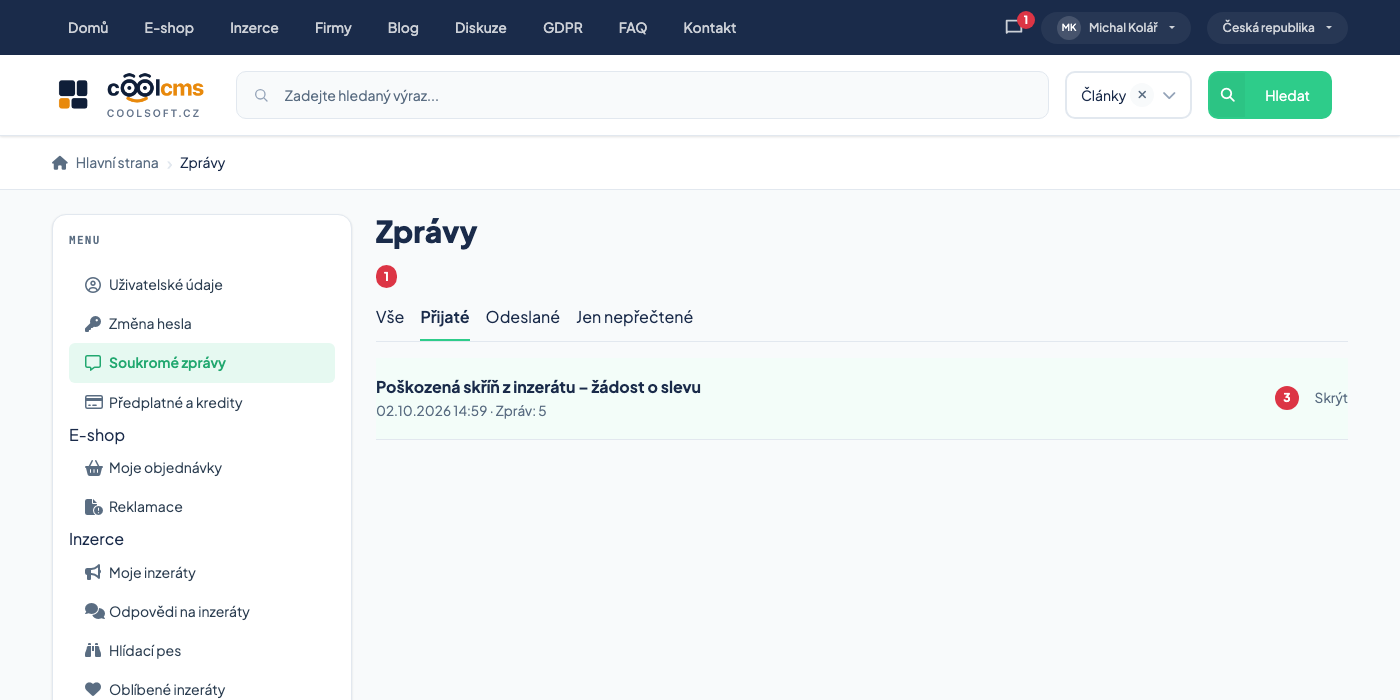
Each row shows the subject, the time of the last message and the message count. An unread conversation is highlighted and shows the number of unread messages. A row can carry these badges and links:
| Element | Meaning |
|---|---|
| Odeslané (after the time and count) | you started the conversation |
| Jen e-mailem (email only) | the other side has no account; you can reply only outside the site, see below |
| Skrýt (hide) | hides the conversation for you |
The tab does not change with replies
A conversation belongs to Přijaté or Odeslané by who started it, and does not move after replies. If the other side replies to a message you started, it stays in Odeslané but is highlighted as unread and counts towards the number at the icon.
Procedure: read a message and reply#
- Click the messages icon in the header, or open the Zprávy page (a link from the menu or from the email).
- Click the conversation. Its detail opens.
- At the top you see the participants — you are marked "Vy" (you), the others by name (a signed-out visitor as "Nepřihlášený návštěvník"). Below are the messages from the oldest.
- Messages you have not opened yet carry the Nové (new) badge.
- At the bottom write the text into Vaše odpověď and click Odeslat.
Opening the detail marks the conversation as read. You see the Nové badge only on that first opening; next time the messages are no longer marked as new.
More participants and system messages#
The site administrator can invite another participant to a conversation — an arbiter, say, when two sides cannot agree. The conversation is then not only between two people:
| What you see | Meaning |
|---|---|
| several names in the list of participants | everyone who is in the thread; whoever left is not in the list |
| a system message "… se připojil(a) ke konverzaci." (… joined the conversation) | another participant entered the thread; the message sits in the conversation between the others, without an author |
| a system message "… opustil(a) konverzaci." (… left the conversation) | the administrator removed someone from the thread |
| "(opustil konverzaci)" next to a name | the message is from someone who is no longer in the thread; it stays signed with their name |
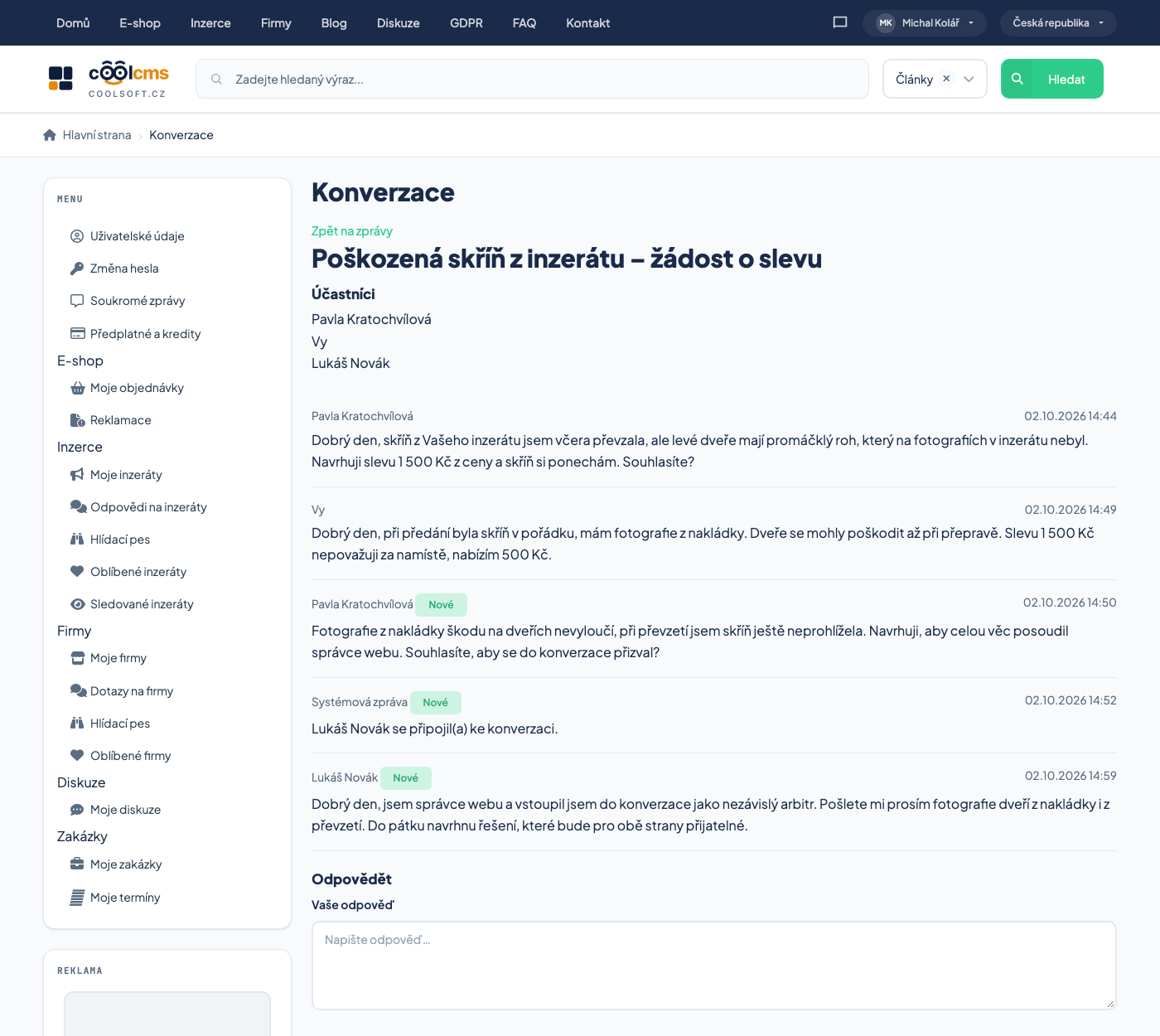
Whoever gets into the conversation sees its whole history from the first message, and all messages arrive as Nové (new) for them. When they join, the thread is marked unread for you (the system message counts). Every further message raises the unread count for all the others, and all other registered participants get the "you have a new message" email; system messages are not emailed.
Whoever was removed from a conversation no longer has it in their inbox, and a link from an email shows them a "not found" error.
Users do not change participants
Nobody can be added or removed from the site. Only the administrator does it in the administration, see Private messages in the administration.
The "Přečteno" badge on your messages#
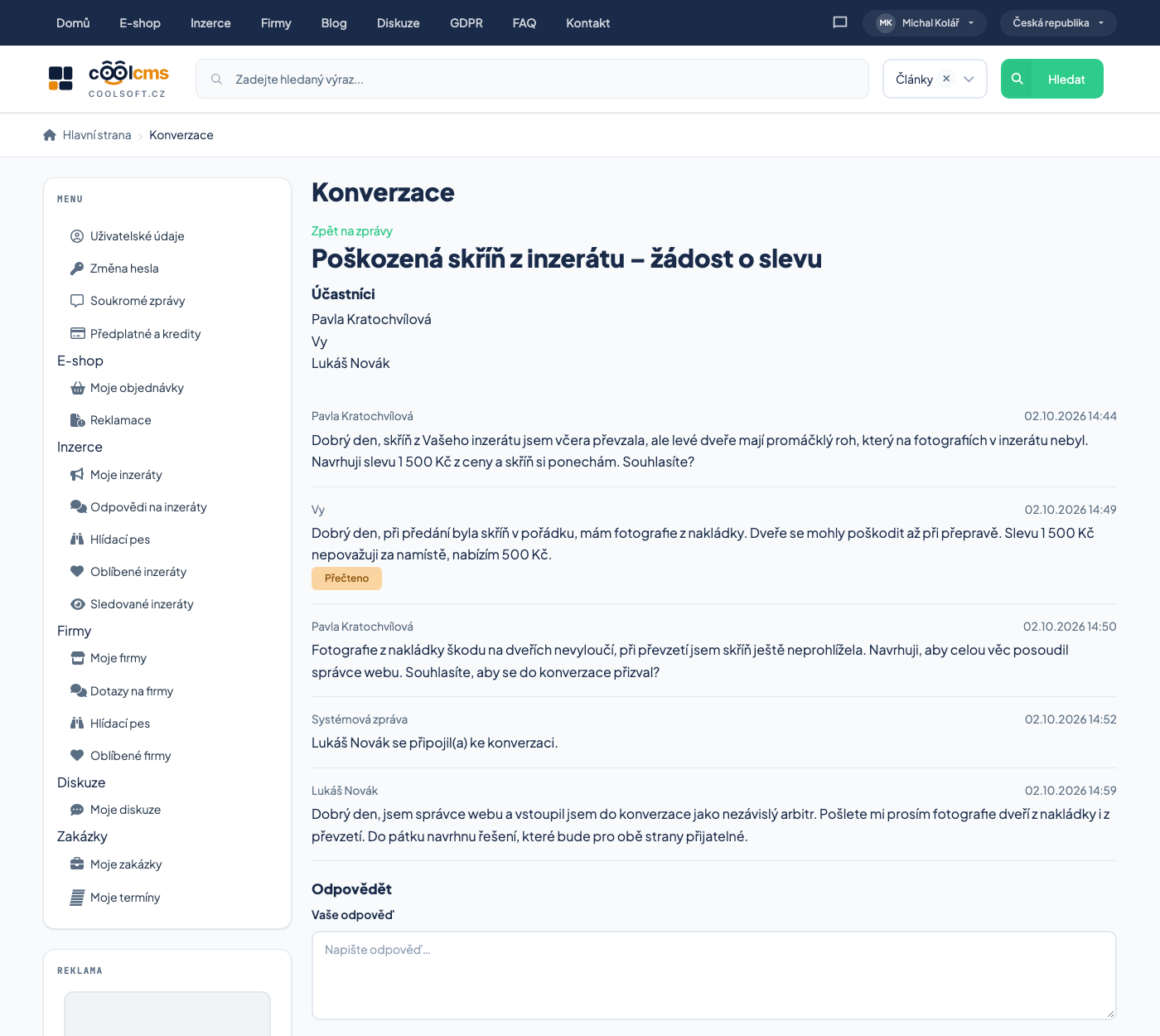
A Přečteno (read) badge can appear under your own message: the other side has opened the conversation. It is shown only when the site operator has turned it on — otherwise you never see the badges and the other side does not see them on your messages either.
| Badge | Meaning |
|---|---|
| Přečteno under your message | the other side opened the conversation after you sent the message |
| no badge | the other side has not opened the conversation yet — or the feature is off |
| a badge on the other side's messages | never |
It is never shown for a signed-out visitor
Someone without an account does not read in the system, so an "email only" conversation has no badge, even if the other side read your message in their email.
The badge is approximate
It is information for the whole conversation, not for one message, and the time is compared to the second. A message written in the same second in which the other side opened the conversation may be marked read before they saw it. And a missing badge does not say the message was not read — only that the system does not know or does not tell.
The number at the icon takes you back to what you are waiting for
The Jen nepřečtené tab gets rid of everything you have already seen.
"Email only" conversations#
When the response to an advert was written by a signed-out visitor, they have no account and a reply through the site would have nowhere to go. Such a conversation is called Jen e-mailem: instead of the reply form the detail shows the contact (the email and phone the visitor entered) and you reply outside the site, in your mail program.
Procedure: hide a conversation#
- Click Skrýt on the conversation's row.
- Confirm the question.
The conversation disappears from your box and stays for the other side. It cannot be deleted for good.
If anybody writes another message, the conversation comes back
Hiding lasts only until the next message. As soon as anyone writes into it — even you — it appears in the box again. To be rid of it, do not write into it, wait for the reply, or simply leave it be.
Email about a new message#
A new message may bring you a "you have a new message" email with a short preview. The full text is only on the site after you sign in — messages can contain personal data and email is not encrypted.
An empty conversation#
A conversation in which no undeleted message is left (the operator removed them) is not shown at all: not in the list, not in the number at the icon, and its address shows a "not found" error. If somebody writes a new message into it, it returns.
When you cannot see a message#
- Are you signed in? Without signing in messages are not shown.
- Is the Jen nepřečtené filter on? Switch to Vše.
- Did you choose Skrýt earlier? The conversation returns when someone writes in it.
- Is it an email only conversation? Then look for the reply in your mail.
- The operator may have removed all the messages of the conversation — then it is not shown.
- None of that? The conversation is not yours — the site does not open someone else's conversation.
Related#
- Replies to an advert — how interested people write to you
- Notifications and newsletter